

Automatic hardware inventory
OS, CPU, memory, disks (model, serial), graphics, motherboard, monitors, IP, laptop/desktop type
IT asset management · Hardware · Software
The agent collects each PC's CPU, memory, disks, monitors, installed software and licence details automatically. Hardware changes are recorded with dates, and software licences are reconciled against installations.
IT asset management in DDS · Developed by DAON TECH · Same console as data loss prevention
Problems
Features
OS, CPU, memory, disks (model, serial), graphics, motherboard, monitors, IP, laptop/desktop type
Changes to CPU, graphics, motherboard, memory or disks are recorded with dates, with no manual entry.
Installed programs and install dates per PC, newest first or by period.
See Windows and Office activation status, register software licences and reconcile them with installations (over-use, unused).
Automatic asset numbers, in use / returned / disposed, warranty and repairs. Print QR labels and look them up by phone.
Manage monitors, printers and network devices by category, and hand PCs to new users with history kept.
Screens
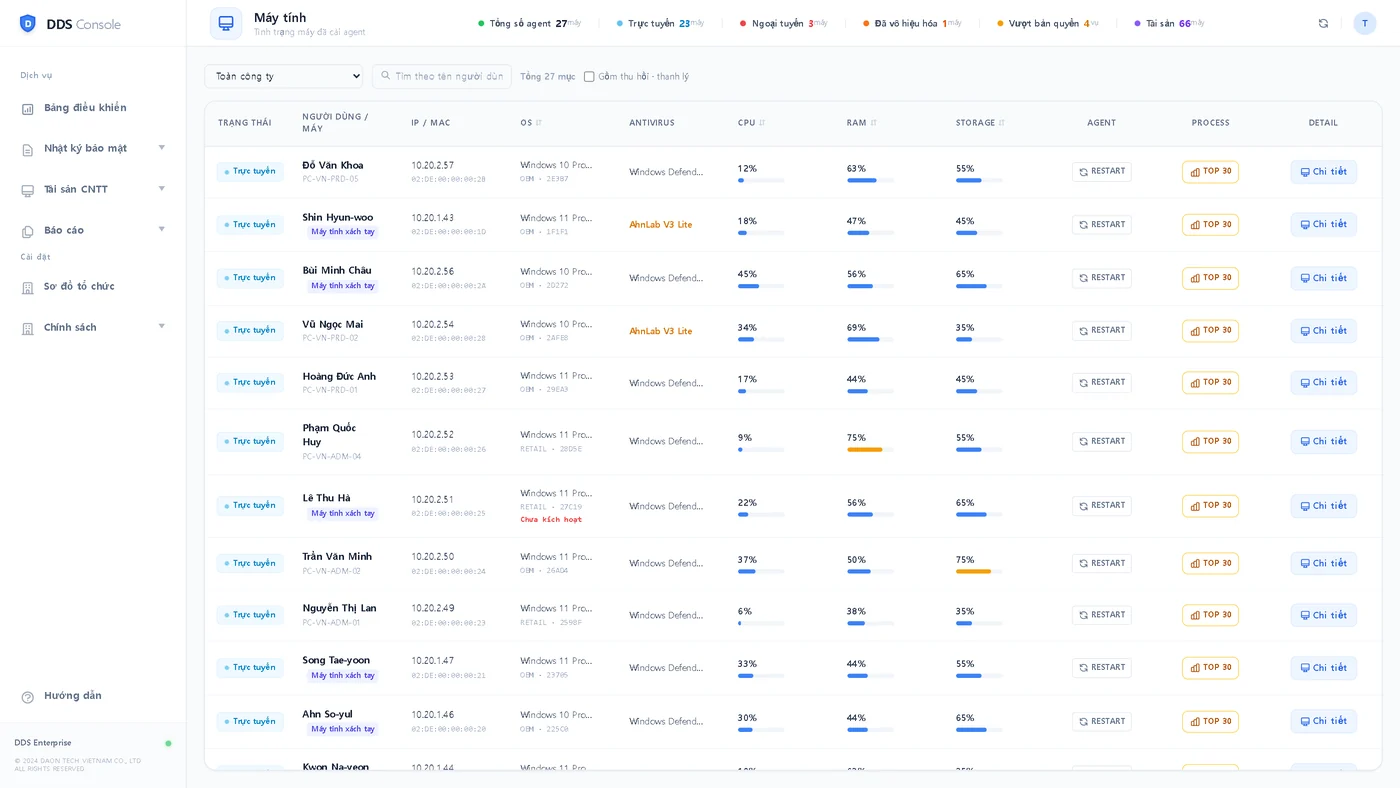
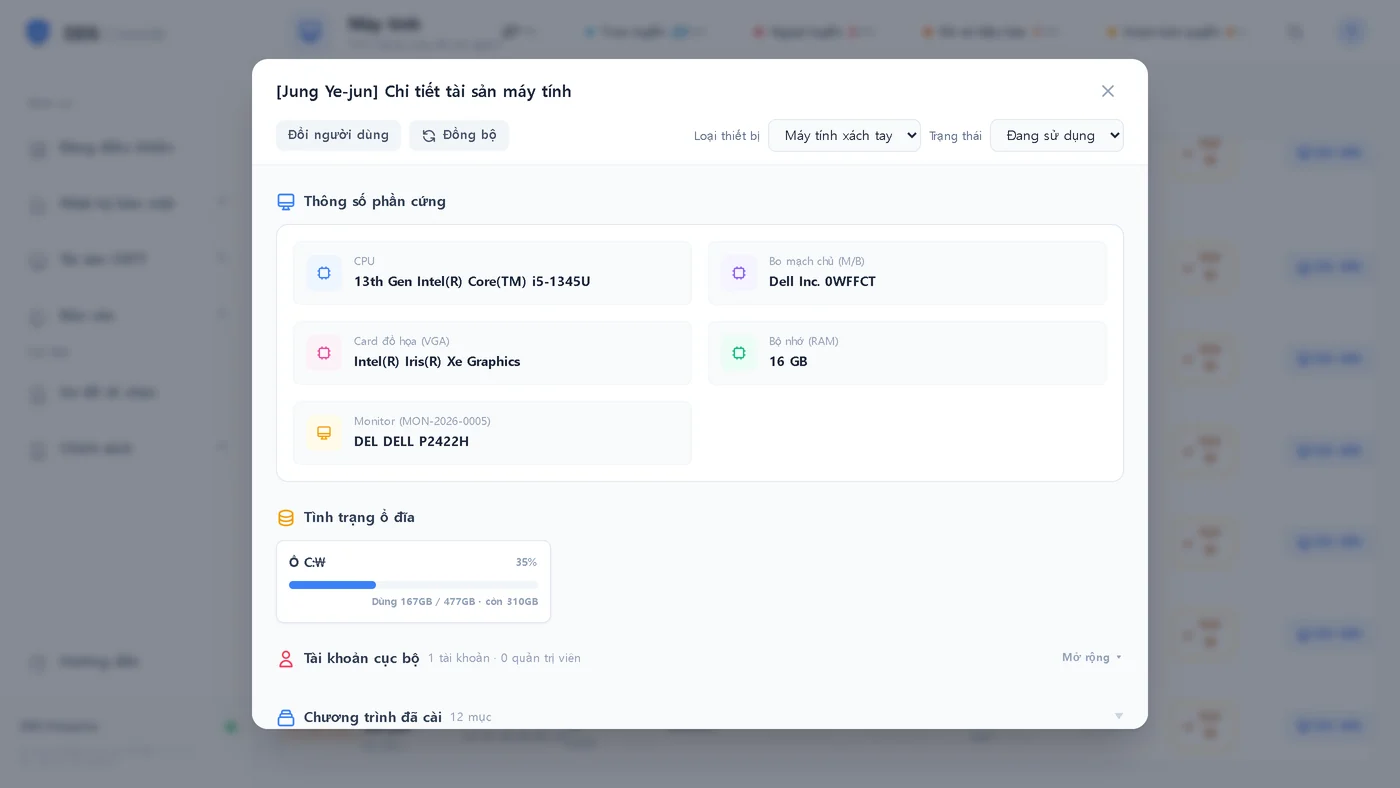
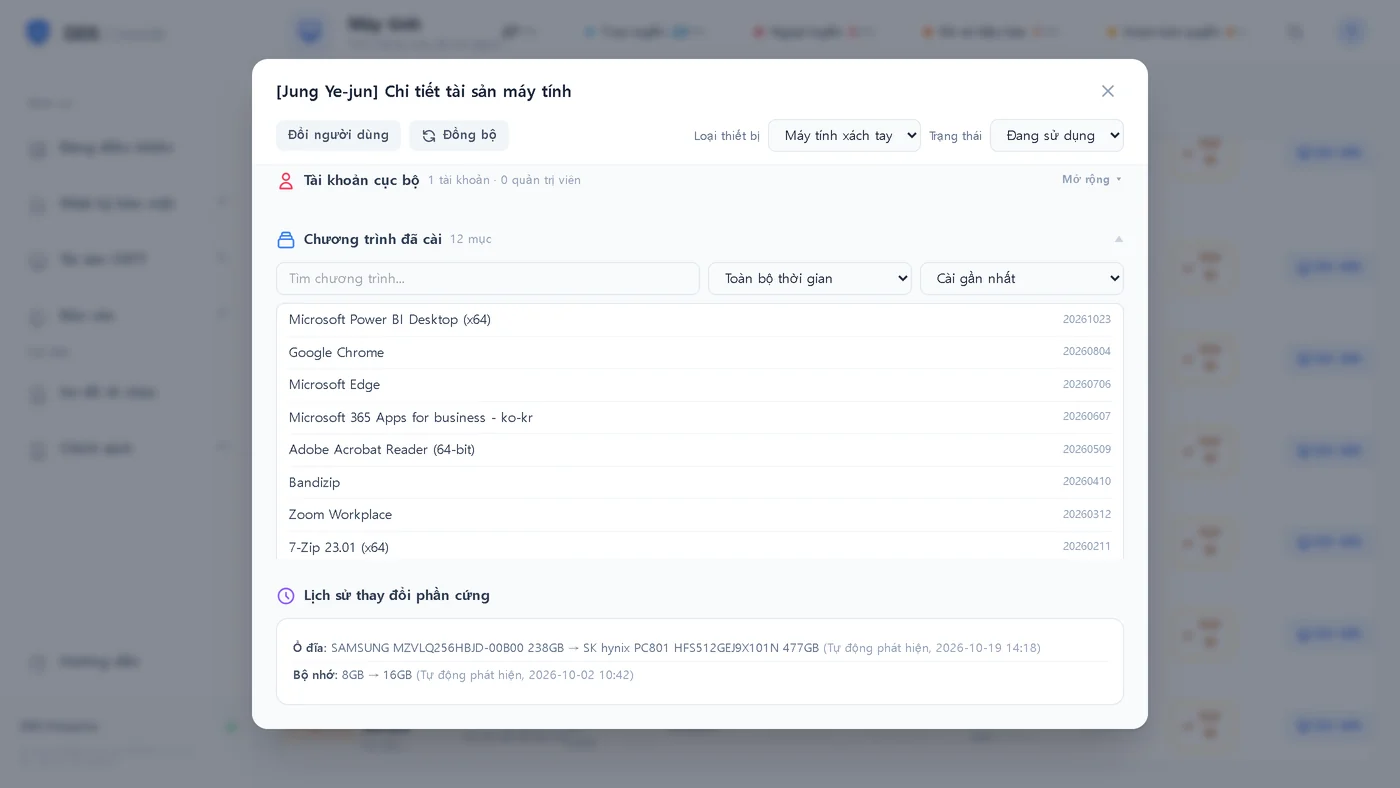
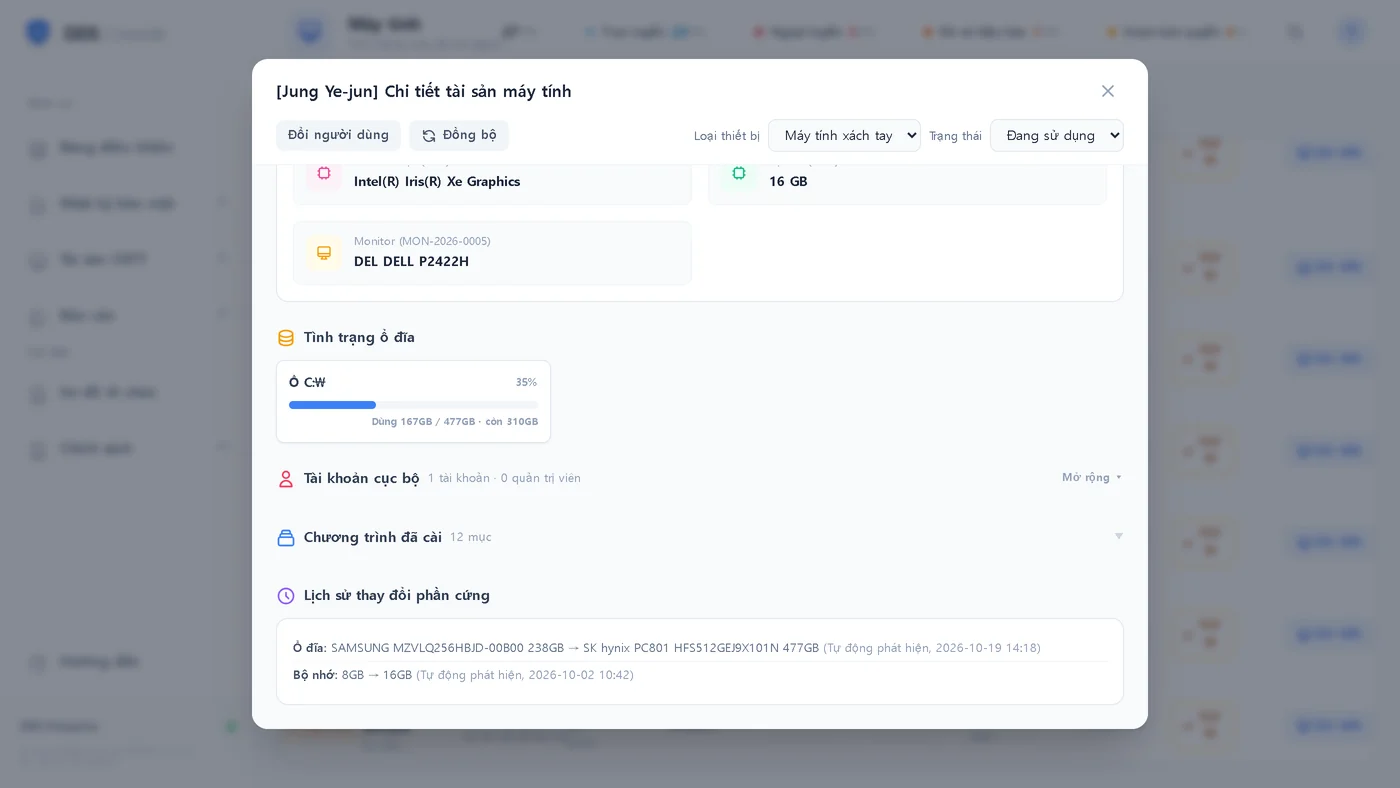
Real product screens · Test data
Process
FAQ
OS, CPU, memory, disks (model, serial, SSD/HDD), graphics, motherboard, maker and model, monitors, IP, laptop/desktop, antivirus, installed software, and Windows and Office licence status.
When CPU, graphics, motherboard, memory or disks change, the system compares with previous values and records the change with a date.
Yes. Register perpetual, subscription and OEM licences (bulk import from Excel), and it reconciles them with installations, flagging over-use and unused seats.
Yes. Monitors, printers and network devices are managed by category and exportable as CSV; monitors are registered automatically.
IT asset management is part of DDS and runs in the same console as device control, web and program blocking.
Other services
We consult in Korean and Vietnamese, survey your site and propose only what you need.