

Device control
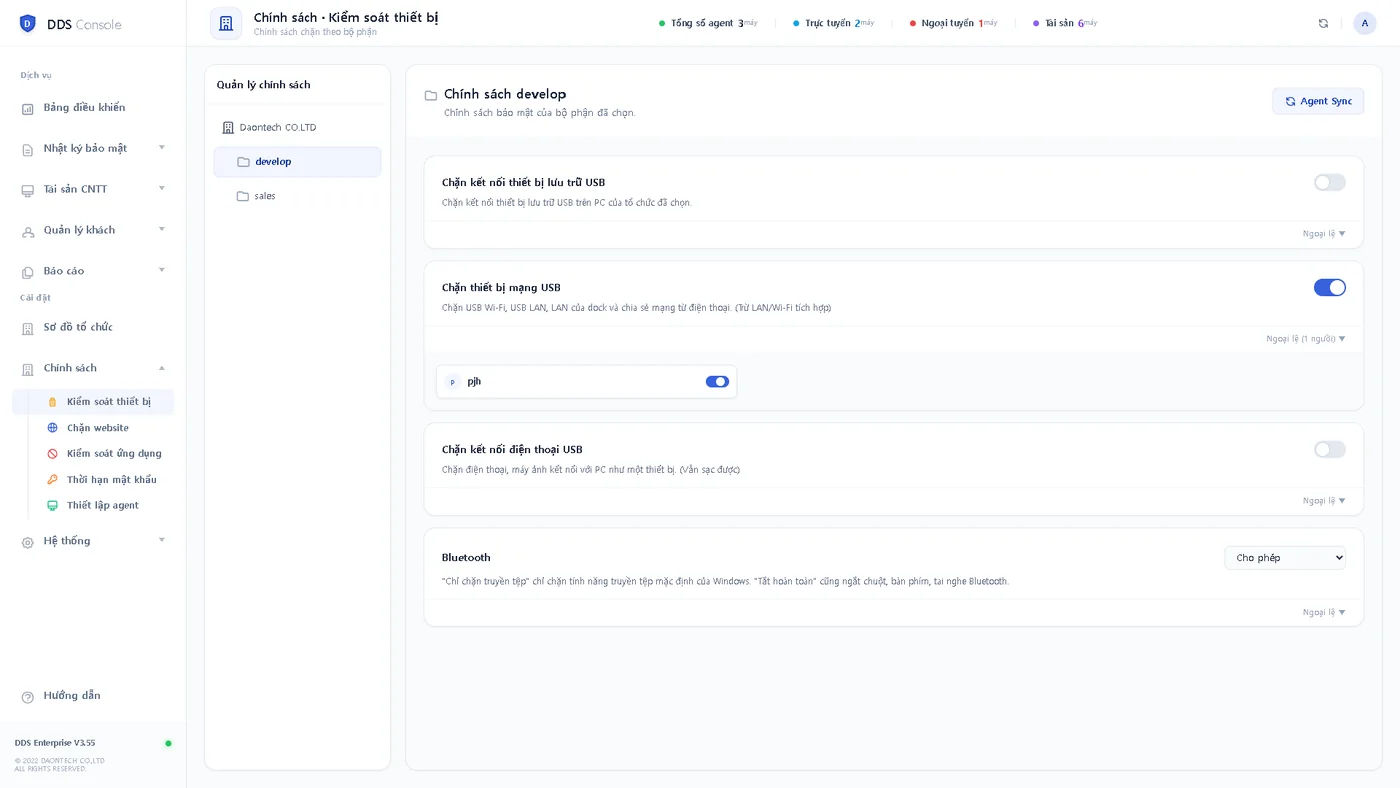
Turn USB storage, USB network (LAN) and USB phone connections on or off; for Bluetooth, block file transfer only or turn it off entirely. Set separately per department.
DDS · DLP · Device control · IT asset management
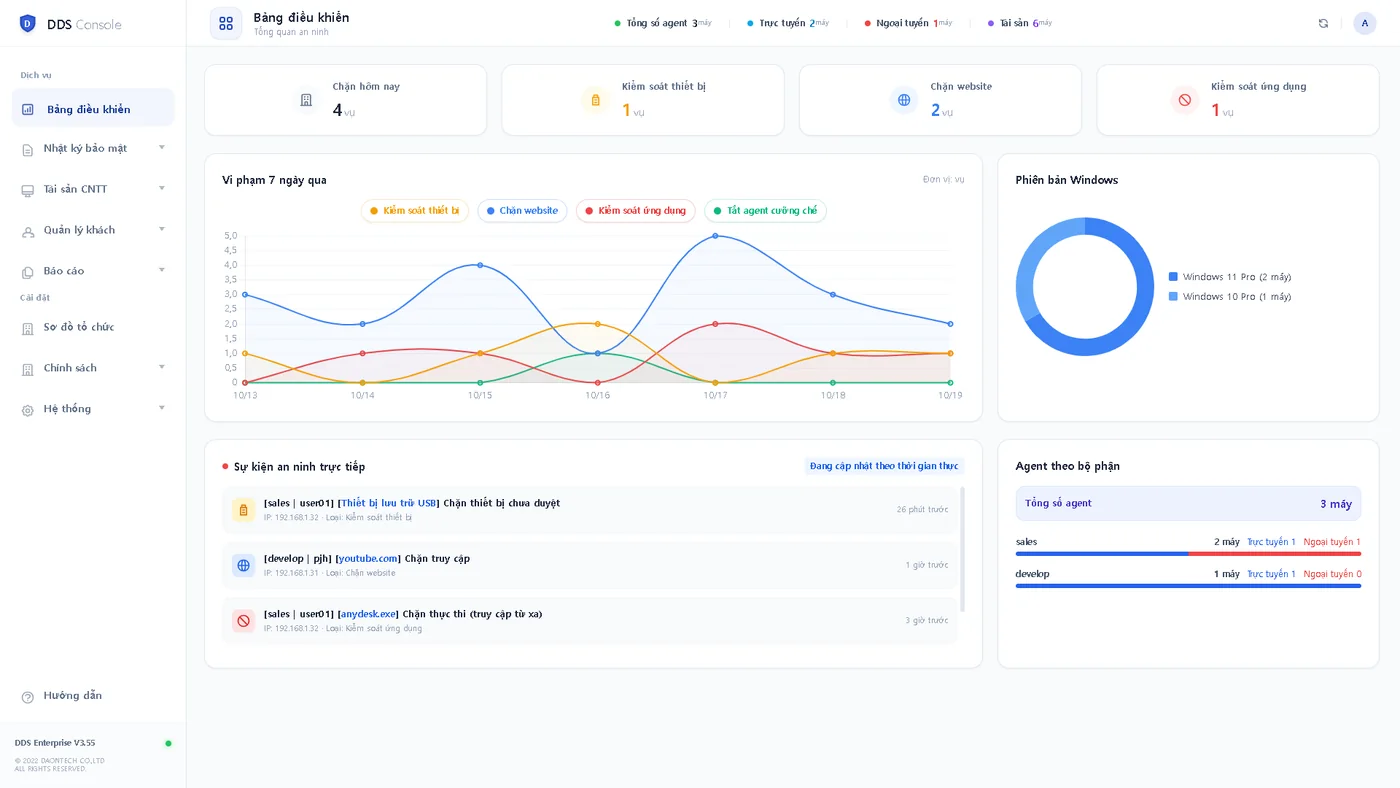
Install an agent on staff PCs: devices, websites and programs are blocked by policy, and every attempt is logged on the admin console. PC assets and password expiry are managed on the same screen.
Developed by DAON TECH · Installed on-site in Vietnam · Korean and Vietnamese support
Problems
Features
Turn USB storage, USB network (LAN) and USB phone connections on or off; for Bluetooth, block file transfer only or turn it off entirely. Set separately per department.
Manage block lists for social media, video and file-sharing sites per department.
Stop remote access, VPN bypass and file-sharing programs from running.
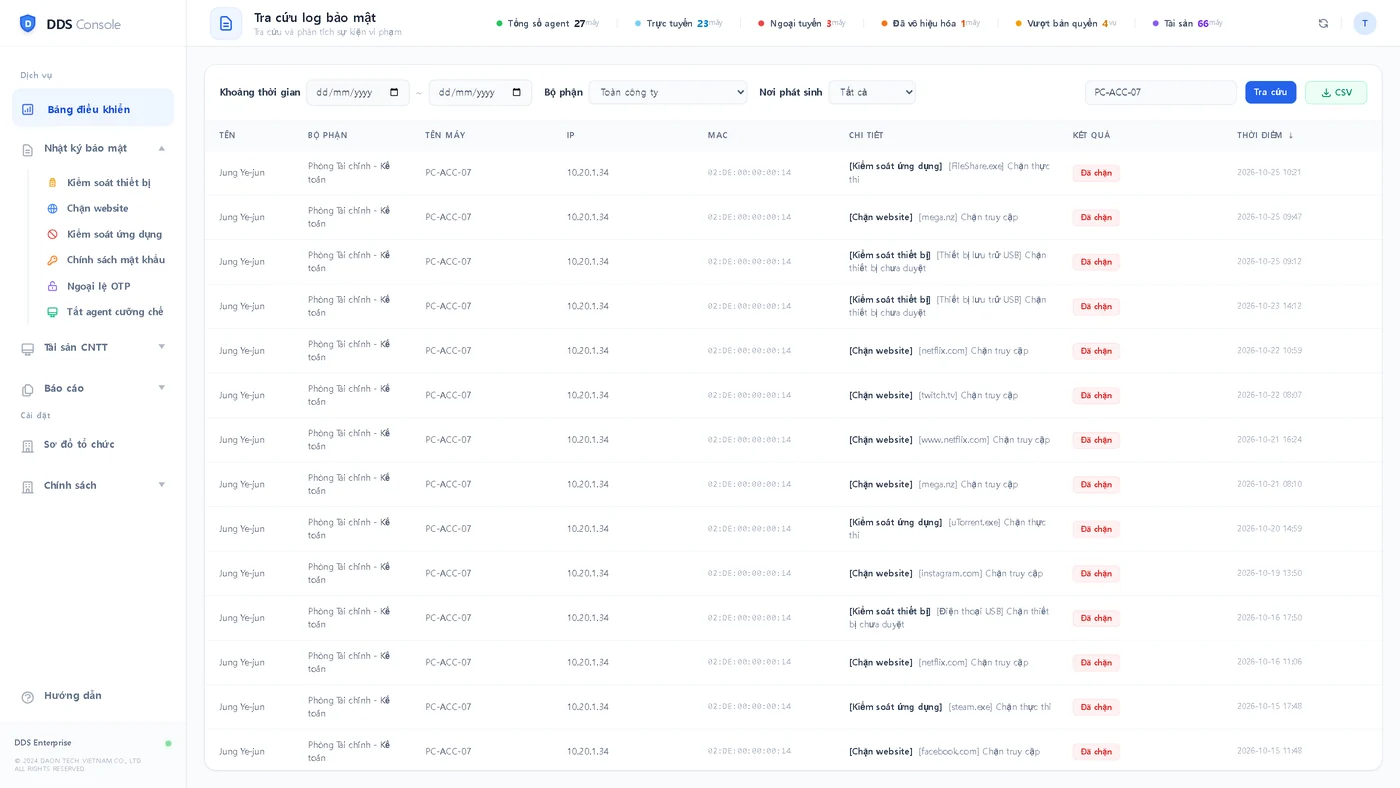
See who tried what, on which PC and when, and export to CSV.
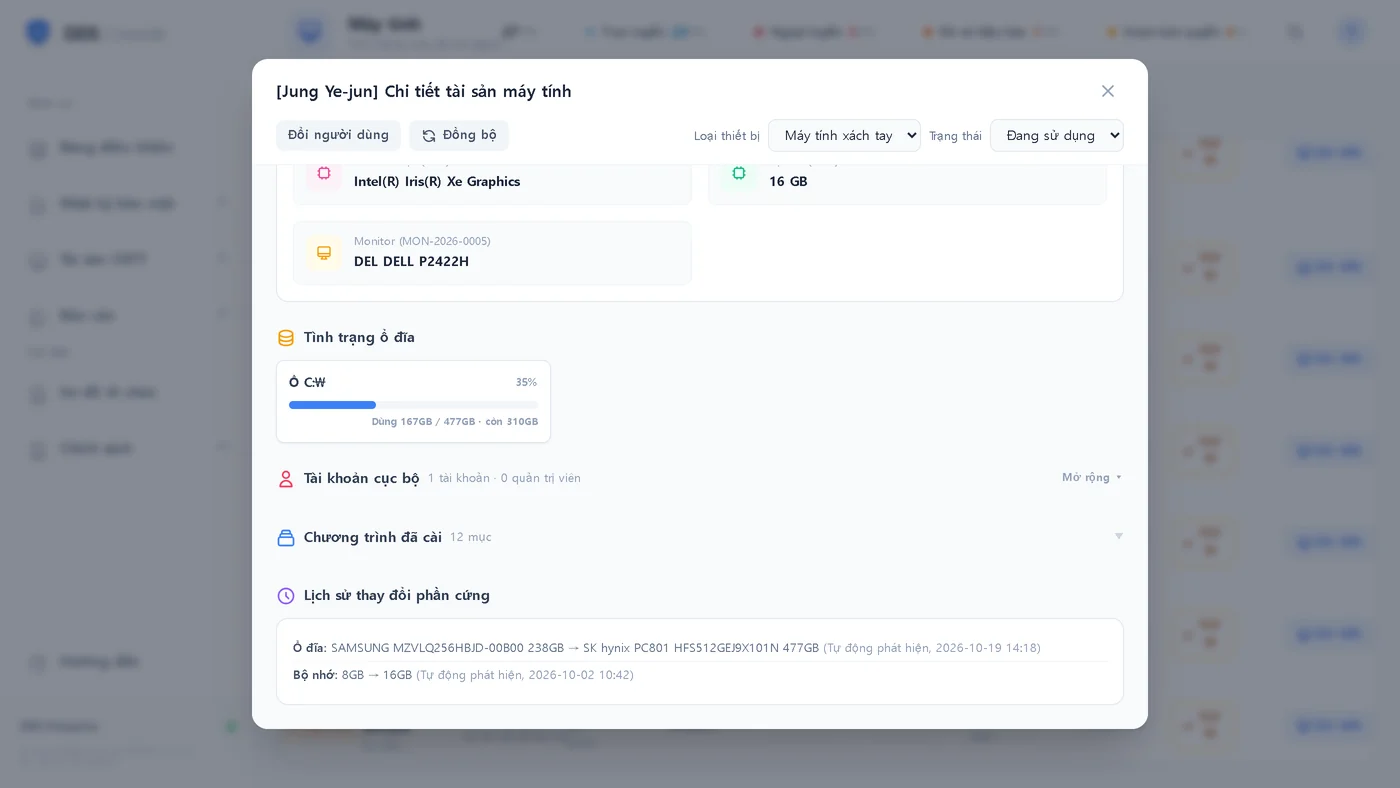
Collect CPU, memory, disks and installed software automatically and detect hardware changes.
Automatically flag users past the change period (e.g. 90 days).
Screens
Real product screens · Test data
Process
FAQ
USB storage, USB network, phone connections and Bluetooth file transfer (device control), specified websites and specified programs. Each department can have its own policy.
The console and logs are installed on a dedicated server inside your company, so data stays in-house.
Yes. On request we email you an admin console trial account valid for 24 hours.
A block notice appears on the PC, and blocked websites show a notice page. Attempts are recorded in the security log.
Yes. It collects each PC's hardware and installed software, and records hardware changes such as memory or disk automatically.
Other services
We consult in Korean and Vietnamese, survey your site and propose only what you need.